Review a session with Replay
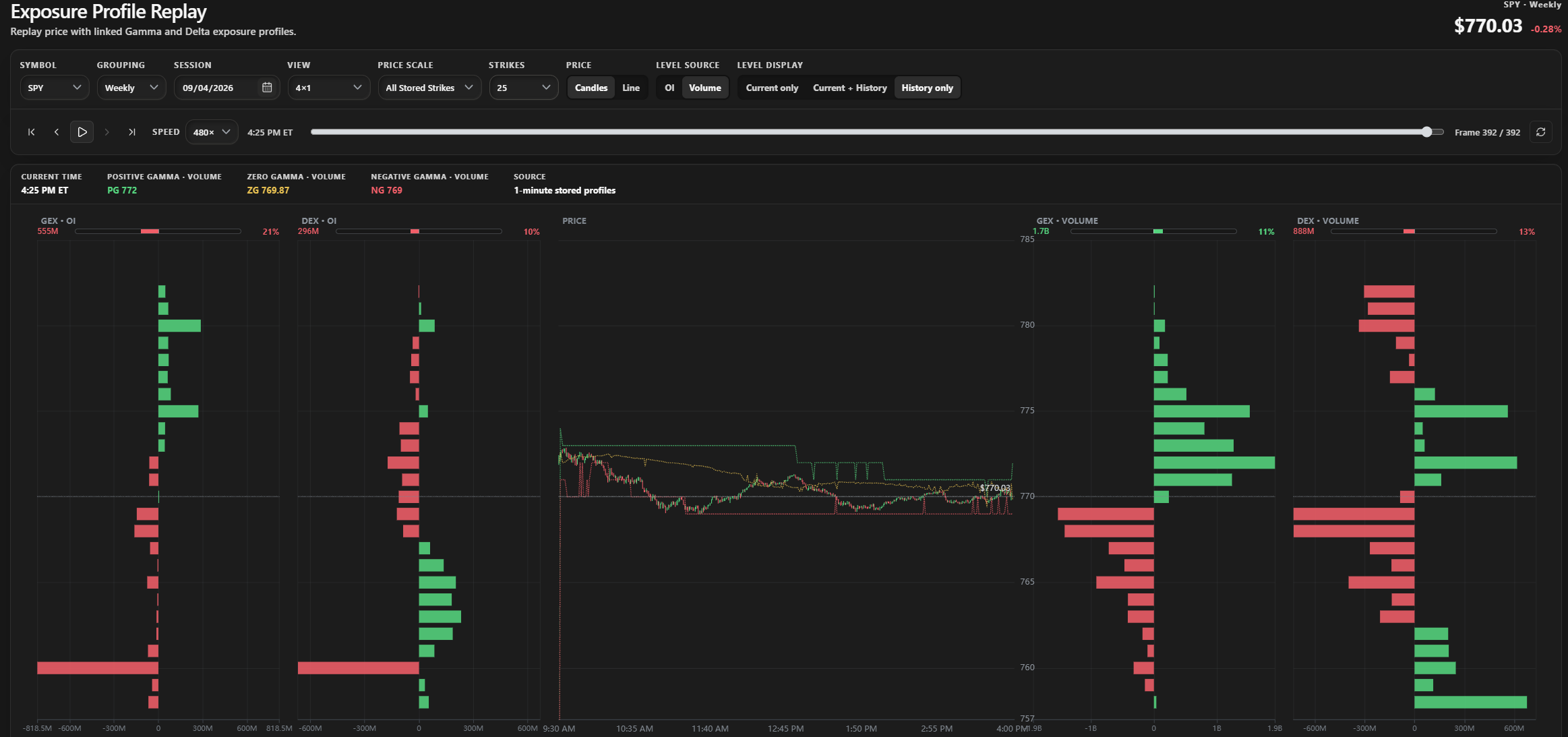
SPY Weekly, September 4, 2026: a stored-session example using the 4×1 layout and Volume level history.
Replay is available to active Elite members. Choose a stored symbol, expiration group, and date to replay price alongside Gamma and Delta profiles.
- Compare open-interest and volume exposure in linked layouts.
- Play, pause, step, or scrub through the session at speeds through 480×.
- Review price as candles or a line and inspect current PG, ZG, and NG alongside their history.
- Keep your preferred layout, strike count, and display settings in your browser.
The Preview badge has been removed from the released replay workspace. Read the Replay guide, then open replay.
Follow your first analysis
The dashboard's Start here menu follows Market Internals → Options Exposure → Key Levels. Core members learn in Stock; Elite members stay in ETFs². Try the TICK header, Market Monitor columns and the chart's HP and EXP menus as you go.
Minimize the guide while using the app, resume later or restart. Continue into the matrix views when ready.
Start the guided analysis or read the written guide.
Other improvements
The center Sector Performance panel fits all 18 symbols. Click it to compare historical price performance, choose a range and toggle symbols. See the chart guide.
Replay level history uses separate horizontal segments when PG, ZG or NG changes, removing the connecting zigzags.
Shorter Learn guides explain histogram totals, Market Monitor timeframes and expiration scope. Volume means today's trading-session volume across all expirations within the selected scope.
Historical replay sessions include available matching candles, reducing line-only results caused by a separate candle request failing.
Raw OI/Volume charts retain their selected view during background refreshes.
New Flow calculations compare timestamped ticker and one-minute prices to avoid choosing an older ticker value. Previously stored history is not rewritten.
Activity no longer carries a Beta badge in the navigation.
The Core pricing button keeps a solid dark interior and readable text while its shine stays around the border. Reduced-motion behavior is preserved.